





The Hidden AI Features on Your Phone You’re Probably Not Using

Your smartphone is far smarter than you realize. Discover the powerful, under-the-radar artificial intelligence tools hiding in your pocket that can save you time, fix your photos, and streamline your digital life.

The Hidden AI Features on Your Phone You’re Probably Not Using

We carry supercomputers in our pockets every single day. We use them to text, scroll through social media, snap photos, and navigate traffic. Yet, despite how much time we spend staring at our screens, most of us only scratch the surface of what our devices can actually do.

Artificial intelligence isn't just a futuristic buzzword anymore; it is deeply embedded in your mobile operating system. However, many of the most powerful AI capabilities run quietly in the background or remain buried under layers of menus. If you aren't utilizing these tools, you are missing out on the true power of your device. Here are the hidden AI features on your phone that you should start using right now.

1. The Magic Eraser & Clean-Up Tool: Erase Photobombers Instantly

We’ve all taken what would have been a phenomenal photo, only to have it ruined by a stranger walking in the background, a stray piece of trash on the beach, or an unsightly power line slashing across the sky. Traditionally, saving that photo required downloading complex editing software and spending hours learning how to use clone stamps.

Enter on-device generative AI photo tools, commonly known as Magic Eraser on Android or Clean Up on iOS. How it works: The AI analyzes the pixels surrounding the unwanted object, understands the background context, and seamlessly fills in the blank space once you remove the distraction.

  • How to find it on Android (Google/Samsung): Open Google Photos > Select a Photo > Edit > Tools > Magic Eraser.
  • How to find it on iOS (iPhone): Open a Photo > Edit > Clean Up.

2. Live Text & Intelligent Visual Search

Have you ever needed to copy a phone number, a Wi-Fi password, or a long block of text from a physical sign, menu, or document, only to type it out manually letter by letter? It is a tedious process prone to human error.

Your camera and photo gallery are powered by advanced computer vision and optical character recognition (OCR) AI that bridges the physical and digital worlds. By simply pointing your camera at text or opening an existing photo, your phone can instantly recognize, highlight, copy, translate, or search the text on screen.

  • How to use it on iPhone: Open your camera or photo and tap the Text Selection icon (a small square with lines) that hovers over visible words.
  • How to use it on Android: Open your camera or Google Photos and tap the Lens icon.

3. The Spacebar Trackpad Hack: Precision Editing Made Easy

Trying to tap your finger precisely between two specific letters on a mobile phone keyboard to fix a typo is a universally frustrating experience. Usually, you end up tapping the wrong spot three times before giving up.

What many users don't realize is that your keyboard features a built-in machine-learning shortcut. By pressing and holding down the spacebar on your on-screen keyboard, the entire keyboard area instantly transforms into a trackpad cursor. You can glide your finger smoothly across the keys to move the cursor with exact precision, saving you time and irritation during messaging or email editing.

4. AI-Driven Scene Optimization and Smart Cameras

When you point your phone at a plate of food, a glowing sunset, or your pet darting across the room, your pictures often look instantly crisp and vibrant without manual adjustments. That isn't just hardware luck—it's real-time AI scene recognition.

Modern phone cameras use computational photography to analyze what you are looking at down to the millisecond. They dynamically adjust exposure, contrast, white balance, and noise reduction on the fly. Furthermore, features like Google's "Best Take" or Apple's smart HDR blend multiple rapid exposures together so that nobody in your group photo is blinking. Check your camera settings to ensure advanced scene optimizers are turned on to let your phone act as your personal pocket photographer.

5. Adaptive Battery Optimization: The Silent Saver

Perhaps the most profound AI feature on your phone is one you will never actually "see" working. Adaptive battery optimization runs silently in the background, leveraging machine learning algorithms to study your daily routines.

The AI learns when you typically wake up, which apps you use heavily at specific times of day, and when your phone usually sits idle. By intelligently restricting background power consumption for apps you rarely use, it preserves energy for the tools you rely on most.

  • How to check it on Android: Go to Settings > Battery > Adaptive Preferences > Toggle 'Adaptive Battery' on.
  • How to check it on iOS: Go to Settings > Battery > Battery Health & Charging > Ensure Optimised Battery Charging is active.

Conclusion: Unlock Your Phone's Full Potential

Smartphones are evolving faster than ever, and manufacturers pack them with intelligent capabilities designed to save us time and friction. By stepping past the basic home screen layout and exploring these hidden AI layers—from clearing up your favorite photos to streamlining text edits—you can transform your everyday device into a much more powerful digital companion. Take a few minutes to explore your settings today, and let your phone's hidden intelligence go to work for you.

Quick Summary

Your smartphone is far smarter than you realize. Discover the powerful, under-the-radar artificial intelligence tools hiding in your pocket that can save you time, fix your photos, and streamline your digital life.

Key Takeaways

  • How to find it on Android (Google/Samsung): Open Google Photos > Select a Photo > Edit > Tools > Magic Eraser.
  • How to find it on iOS (iPhone): Open a Photo > Edit > Clean Up.
  • How to use it on iPhone: Open your camera or photo and tap the Text Selection icon (a small square with lines) that hovers over visible words.
  • How to use it on Android: Open your camera or Google Photos and tap the Lens icon.
  • How to check it on Android: Go to Settings > Battery > Adaptive Preferences > Toggle 'Adaptive Battery' on.

Quick Facts

Category: Technology
Published: August 1, 2026
Updated: October 4, 2026
Reading time: 5 min
44 views
Updated Oct 4, 2026 5 min read

Related Articles

View all
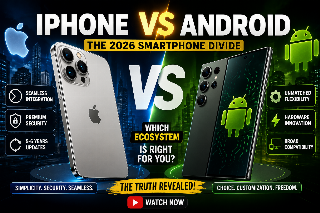
The 2026 Smartphone Divide: iPhone vs. Android Technology
Article Technology

The 2026 Smartphone Divide: iPhone vs. Android

As we move through 2026, the long-standing rivalry between iOS and Android has evolved. While both platforms are more capable and secure than ever, they serve fundamentally different philosophies: Apple’s curated ecosystem versus Android’s open-source flexibility.

Orwell, George 9 min 293

Mixed Content

Technology
Article Technology

The Post-Automation Economy: Architecting Human Skill Premiums in the Age of Autonomy

The rapid proliferation of agentic workflows and large action models is structurally inverting the traditional corporate skill pyramid. While routine analytical processes and information retrieval tasks are being automated into low-cost utility, uncommoditizable human traits—emotional intelligence, strategic ambiguity management, and ethical governance—are commanding an unprecedented value premium. Succeeding in the post-automation enterprise requires re-engineering workforce development to focu

Mutwassim 3 min 72
The Decline of Friction: Inside the FinTech Revolution in Cross-Border Settlement and Digital Identity Technology
Article Technology

The Decline of Friction: Inside the FinTech Revolution in Cross-Border Settlement and Digital Identity

The traditional plumbing of global finance—characterized by multi-day delays, hidden fees, and fragmented identity silo—is undergoing a profound transformation. A new generation of FinTech architectures, combining distributed ledger technology (DLT), synchronized liquidity pools, and decentralized digital passports, is enabling cross-border instant payments with near-zero friction.

Mutwassim 1 min 44
The City as a Switch: Architecting IoT Logistics for the Post-Congestion Urban Era Technology
Article Technology

The City as a Switch: Architecting IoT Logistics for the Post-Congestion Urban Era

The traditional model of urban delivery—reliant on high-emission diesel vans navigating static street grids—is creating unsustainable levels of congestion and pollution in global metros. To reclaim urban space, cities are transitioning to IoT-orchestrated logistics. This data-driven framework utilizes autonomous delivery swarms, automated micro-fulfillment centers, and dynamic digital kerb-side management to route goods with the efficiency of internet packets, transforming static streets into fl

Mutwassim 4 min 71
Beyond the Coffee Shop: How Cross-Border Employment and Sovereign Visas Are Institutionalizing Remote Work Technology
Article Technology

Beyond the Coffee Shop: How Cross-Border Employment and Sovereign Visas Are Institutionalizing Remote Work

Remote work is transitioning from an informal perk into an institutionalized pillar of international commerce. Over 60 nations have launched dedicated digital nomad visa regimes, while multi-jurisdictional compliance platforms and Employer of Record (EOR) frameworks dismantle traditional geographic barriers. As knowledge workers disperse globally, enterprises and municipal governments are formalizing policies around tax residency, permanent establishment risk, and asynchronous operational workfl

Mutwassim 3 min 71
The Death of Syntax: Inside the Shift to Intent-Driven Software Engineering Technology
Article Technology

The Death of Syntax: Inside the Shift to Intent-Driven Software Engineering

The day-to-day discipline of software engineering is undergoing its most radical abstraction leap since the transition from assembly language to high-level compilers. Generative code synthesis and deterministic reasoning engines are automating boilerplate syntax, turning software developers into systems architects. Survival in this new paradigm demands mastering intent formalization, specification design, and continuous verification.

Mutwassim 3 min 71
The Post-Visual Threat: Architecting Zero-Trust Defense Against Weaponized Deepfakes Technology
Article Technology

The Post-Visual Threat: Architecting Zero-Trust Defense Against Weaponized Deepfakes

The rapid weaponization of real-time voice cloning and synthetic video generation has transformed social engineering from opportunistic phishing into targeted executive identity emulation. High-profile incidents involving multi-million-dollar wire transfers authorized via synthetic video calls prove that sight and sound can no longer authenticate authorization. Securing modern enterprises requires an uncompromising zero-trust identity layer capable of neutralizing synthetic deception.

Mutwassim 3 min 137
Beyond the Battery: How Electric Mobility Is Forcing a Overhaul of the Global Power Grid Technology
Article Technology

Beyond the Battery: How Electric Mobility Is Forcing a Overhaul of the Global Power Grid

The global transition toward electric vehicles is no longer constrained primarily by battery chemistry or vehicle range. Instead, the real bottleneck has shifted directly to the electrical grid. As commercial fleets and passenger cars electrify at scale, utilities and city planners are racing to deploy vehicle-to-grid (V2G) bidirectional systems, AI-driven dynamic load balancers, and decentralized microgrid storage to avoid grid failure.

Mutwassim 3 min 58
Cloud 3.0: The Shift Toward Sovereign Data Architectures and Edge Computing Technology
Article Technology

Cloud 3.0: The Shift Toward Sovereign Data Architectures and Edge Computing

The architectural assumption that enterprise compute and storage should reside in a handful of centralized hyperscaler data centers is fracturing. Driven by strict cross-border data sovereignty regulations and the demand for millisecond-latency AI inference, global IT leaders are pivoting to Cloud 3.0—a model centered on distributed, locally governed, and hybrid sovereign architectures.

Mutwassim 3 min 61