




Artificial intelligence has evolved from a niche productivity tool into an essential part of daily work. Whether you're writing reports, debugging code, researching complex topics, creating marketing campaigns, or summarizing lengthy documents, AI assistants are increasingly becoming digital collaborators rather than simple chatbots.
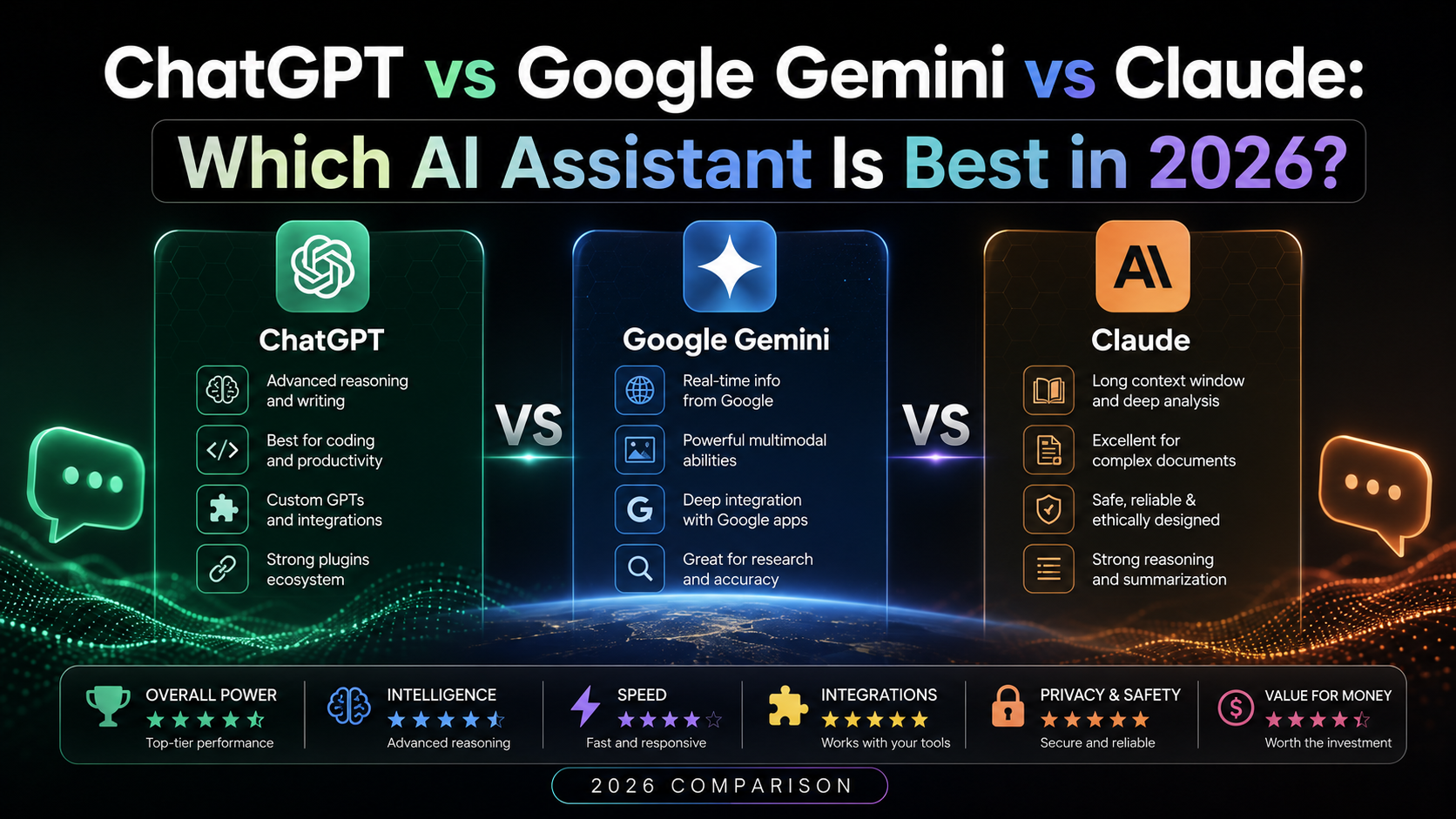
Three names dominate today's AI landscape: ChatGPT, Google Gemini, and Claude. Each platform has matured significantly over the past year, introducing more capable reasoning, stronger coding assistance, improved multimodal features, and better integrations with everyday software. At the same time, the differences between them have become more nuanced. The best choice often depends less on benchmark scores and more on how you actually work.
This comparison focuses on real-world usability instead of marketing claims. Rather than declaring a universal winner, we'll examine where each AI assistant excels, where it falls short, and which users are most likely to benefit from it.
Why AI Assistants Matter More Than Ever
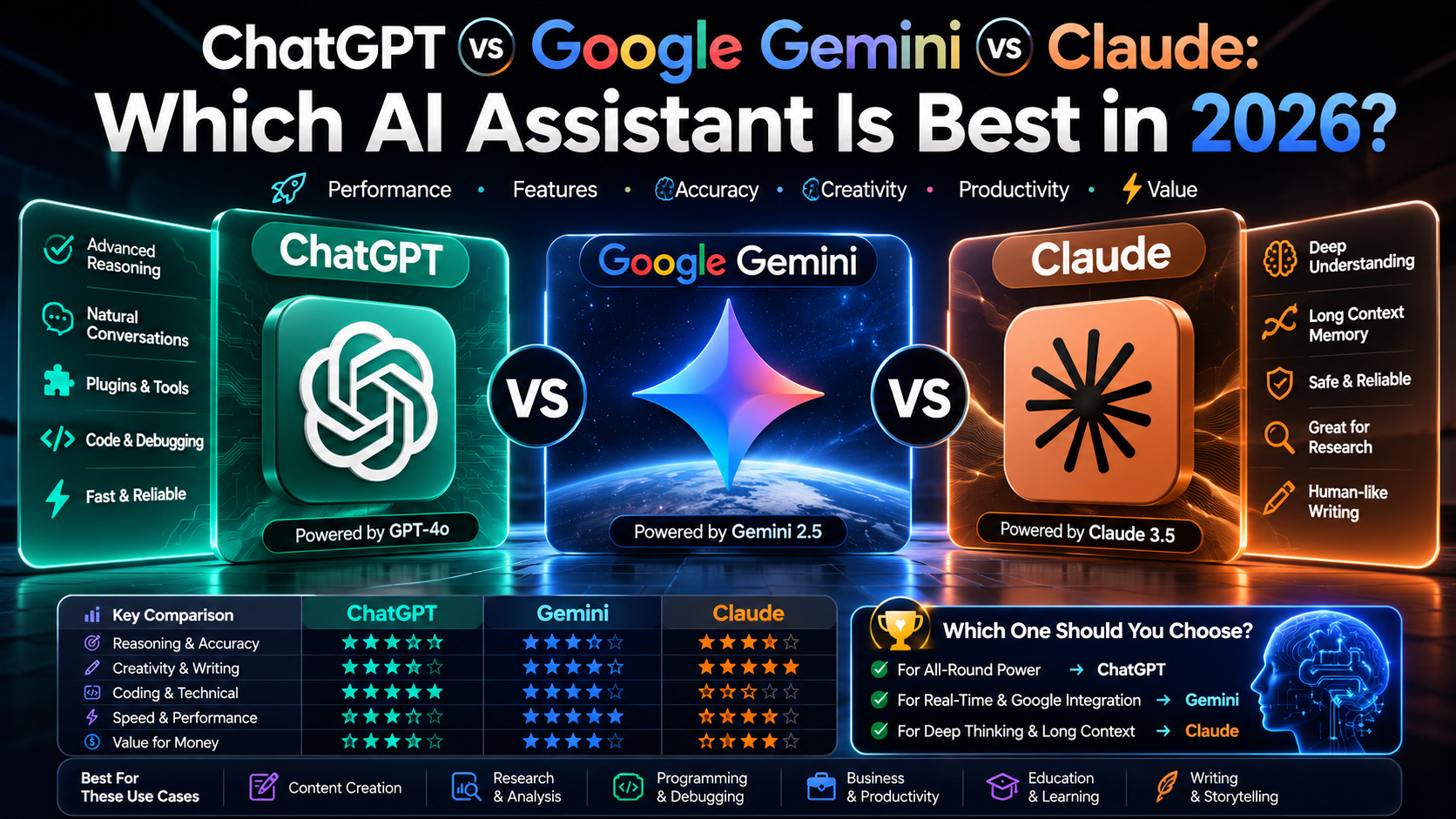
Businesses use AI to draft proposals and analyze data. Students rely on it to understand complex concepts and organize study materials. Developers use it to explain unfamiliar code, generate boilerplate, and troubleshoot errors. Content creators streamline editing, planning, and ideation. Even everyday users turn to AI for travel planning, meal ideas, budgeting, and learning new skills.
As these tools become more deeply integrated into operating systems, browsers, office software, and smartphones, choosing the right assistant becomes an important long-term decision.
Quick Comparison
| Category | ChatGPT | Google Gemini | Claude |
|---|---|---|---|
| Writing | Excellent | Very Good | Excellent |
| Coding | Excellent | Very Good | Excellent |
| Research | Excellent with verification | Strong Google ecosystem integration | Excellent document analysis |
| Reasoning | Excellent | Very Good | Excellent |
| Long Documents | Very Good | Good | Outstanding |
| Images | Strong image generation and editing capabilities (where available) | Strong ecosystem support | Limited compared with competitors |
| Productivity | Excellent | Excellent for Google Workspace users | Excellent for knowledge work |
| Speed | Fast | Fast | Fast |
| Best For | General users, developers, creators | Google ecosystem users | Researchers, writers, analysts |
No single assistant dominates every category. Instead, each platform has developed clear strengths that appeal to different types of users.
What's Changed Since Last Year?
The AI industry has shifted away from simple chatbot features toward practical productivity.
The biggest trends include:
- More capable reasoning for complex tasks
- Better support for long documents
- Faster responses
- Stronger coding assistance
- Improved multimodal understanding
- Smarter image generation and editing
- Deeper integration with productivity software
- Greater emphasis on privacy controls and enterprise features
Rather than competing solely on raw intelligence, companies are increasingly focusing on workflow integration and reliability.
Also Read: ChatGPT vs. Claude vs. Gemini: Comparing 2026
ChatGPT Overview
ChatGPT has become one of the most widely used AI assistants because of its versatility. It performs well across a broad range of tasks, making it suitable for users who need one tool that can handle writing, coding, brainstorming, research, structured analysis, and creative work.
Strengths
- Excellent all-around performance
- Strong coding assistance
- High-quality writing and editing
- Effective brainstorming
- Useful multimodal capabilities where supported
- Broad ecosystem and growing integrations
Potential Limitations
- Responses still require fact-checking for important decisions.
- Availability of features varies by subscription tier and region.
- Performance depends on the specific model selected.
Best For
- Developers
- Students
- Content creators
- Small businesses
- Marketing teams
- Everyday productivity
Google Gemini Overview
Google Gemini is designed to work naturally within Google's ecosystem, making it especially attractive for users who already depend on Gmail, Google Docs, Drive, Sheets, Calendar, and Android devices.
Its biggest advantage is how seamlessly AI assistance fits into existing workflows rather than requiring users to switch between multiple applications.
Strengths
- Strong Google Workspace integration
- Helpful for search-driven research
- Excellent Android experience
- Good multimodal capabilities
- Productive collaboration features
Potential Limitations
- Some advanced capabilities depend on Google's services.
- Certain premium features require paid plans.
Best For
- Google Workspace users
- Android users
- Students
- Business teams
- Productivity-focused professionals
Claude Overview
Claude has built its reputation around thoughtful reasoning, careful writing, and handling extremely large documents. Rather than trying to be the most feature-packed AI assistant, it focuses on producing clear, structured responses while reducing unnecessary hallucinations in many professional workflows.
Researchers, lawyers, consultants, analysts, and long-form writers often appreciate Claude because it maintains context across lengthy conversations and documents.
Strengths
- Outstanding long-document analysis
- Excellent structured writing
- Strong logical reasoning
- Clear explanations
- Reliable coding assistance
- Good document summarization
- Strong safety-focused responses
Potential Limitations
- Image-generation capabilities are more limited than some competitors.
- Certain integrations depend on enterprise or workspace environments.
- Availability of features varies by region and subscription plan.
Best For
- Researchers
- Writers
- Analysts
- Legal professionals
- Consultants
- Knowledge workers
- Large-document workflows
Real-World Writing Test
Most people don't use AI to write entire books. They use it to draft emails, edit blog posts, summarize reports, improve resumes, or brainstorm ideas.
To compare these assistants fairly, imagine asking each one to write a 1,500-word article explaining electric vehicles to beginners.
ChatGPT
ChatGPT typically produces:
- Well-structured introductions
- Natural transitions
- Balanced tone
- Flexible writing styles
- Good SEO-friendly organization
- Strong readability
It adapts well whether you want a formal report, conversational article, marketing copy, or technical documentation.
Google Gemini
Gemini performs particularly well when writing relies on Google Workspace content or current web context.
Its strengths include:
- Organized information
- Helpful summaries
- Clean formatting
- Good productivity-focused writing
Its tone can occasionally feel slightly more factual than conversational, depending on the prompt.
Claude
Claude excels at long-form writing.
Strengths include:
- Excellent logical flow
- Consistent tone
- Strong paragraph organization
- Detailed explanations
- Human-like readability
Many users appreciate Claude's ability to maintain coherence across very long documents.
Winner for Writing
There is no universal winner.
- Creative content → ChatGPT
- Long-form editorial writing → Claude
- Workspace productivity → Gemini
Coding Comparison
Developers increasingly rely on AI to explain code, generate functions, review pull requests, and debug applications.
Instead of replacing developers, AI helps reduce repetitive work.
Laravel Development
ChatGPT generally performs well when explaining:
- Controllers
- Models
- Middleware
- Queues
- API development
- Authentication
- Eloquent relationships
- Blade templates
Claude also provides thoughtful explanations for architecture and refactoring, while Gemini integrates well with Google's development ecosystem.
Python
All three assistants can:
- Explain syntax
- Generate scripts
- Analyze algorithms
- Debug common issues
- Recommend optimizations
For educational explanations, Claude often provides additional context, while ChatGPT usually balances explanation with practical implementation.
JavaScript
Modern JavaScript development involves frameworks, asynchronous programming, APIs, and frontend tooling.
All three assistants handle these tasks well.
ChatGPT often produces practical examples quickly.
Claude frequently explains why the code works.
Gemini performs especially well for developers already using Google's cloud services and tools.
Debugging
Debugging quality depends heavily on the information provided.
When supplied with complete error messages and sufficient context, all three assistants can help identify common bugs, suggest fixes, and explain underlying issues.
Regardless of the assistant used, developers should always test generated code before deploying it to production.
Winner for Coding
- Beginners → ChatGPT
- Large code reviews → Claude
- Google Cloud developers → Gemini
Research Comparison
Research is one of the most misunderstood AI use cases.
No AI assistant should be treated as a perfect source of truth.
Instead, think of AI as a research assistant that helps organize information, identify themes, and explain concepts. For factual claims—especially in areas like health, finance, or law—verify information against authoritative sources.
ChatGPT
Useful for:
- Explaining concepts
- Summarizing information
- Brainstorming research questions
- Organizing notes
- Creating outlines
Gemini
Gemini's integration with Google's ecosystem makes it particularly convenient for users already working within Google services.
It can be especially effective when combined with Google's productivity tools.
Claude
Claude stands out when analyzing:
- Long reports
- PDFs
- Research papers
- Large policy documents
- Contracts
Its ability to maintain context across lengthy inputs makes it a strong choice for document-heavy workflows.
Which AI Gives the Most Accurate Answers?
Accuracy depends on:
- The topic
- The model version
- Whether web access or external sources are available
- The quality of the prompt
- How current the information needs to be
Rather than assuming any assistant is always correct, treat AI as a starting point and verify important facts with trusted sources.
Also Read: Best AI Tools for Students in Pakistan: Study Smarter in 2026
Image Generation Comparison
Image creation has become a major differentiator.
ChatGPT
Where image generation and editing features are available, ChatGPT can assist with creating illustrations, concept art, diagrams, and editing existing images. Feature availability depends on the model and subscription.
Gemini
Gemini supports image-related workflows through Google's AI ecosystem, with capabilities varying by product and region.
Claude
Claude focuses primarily on reasoning, writing, and analysis. Compared with ChatGPT and Gemini, it offers fewer native image-generation features.
Productivity Comparison
Students
Students often benefit from AI for:
- Study guides
- Practice questions
- Concept explanations
- Note summaries
- Essay outlines
Each assistant can help, but outputs should support learning rather than replace original work.
Businesses
Businesses commonly use AI for:
- Drafting emails
- Meeting summaries
- Marketing ideas
- Documentation
- Data organization
The best choice often depends on existing software ecosystems and security requirements.
Content Creators
Creators use AI for:
- Video ideas
- Social captions
- Blog outlines
- SEO planning
- Script drafting
ChatGPT and Claude are frequently favored for long-form content, while Gemini is a strong option for users already centered on Google's productivity tools.
Researchers
Researchers often prioritize:
- Large-document handling
- Logical organization
- Consistent summaries
- Careful reasoning
Claude is particularly well suited for these workflows, though all three assistants can contribute meaningfully when paired with human verification.
Privacy and Security
Privacy policies, data retention, and enterprise controls differ across providers and evolve over time.
Before uploading confidential information:
- Review the provider's current privacy documentation.
- Understand how your data may be stored or used.
- Consider enterprise plans if handling sensitive business information.
- Follow your organization's security policies.
Pricing Comparison
Pricing changes regularly, and available plans can differ by country and organization. Instead of relying on fixed prices, compare:
- Free plan capabilities
- Individual paid plans
- Team plans
- Enterprise offerings
- Usage limits
- Included features
Always check each provider's official pricing page before making a purchasing decision.
Which AI Should You Choose?
Choose ChatGPT if you:
- Want an all-around AI assistant
- Write frequently
- Need coding help
- Create content
- Brainstorm ideas
- Prefer versatility
Choose Google Gemini if you:
- Use Gmail daily
- Work in Google Docs
- Depend on Google Drive
- Own Android devices
- Use Google Workspace extensively
Choose Claude if you:
- Read lengthy reports
- Analyze research papers
- Draft long-form documents
- Value structured reasoning
- Handle document-heavy workflows
Final Verdict
The AI landscape in 2026 is more competitive than ever, and that benefits users. ChatGPT, Google Gemini, and Claude have each matured into capable assistants with distinct strengths rather than one clearly outperforming the others in every scenario.
ChatGPT stands out as a versatile all-rounder for writing, coding, brainstorming, and creative work. Gemini shines for people deeply invested in Google's ecosystem, where its integration with Workspace and Android can streamline everyday productivity. Claude remains an excellent choice for professionals who regularly work with long documents, structured analysis, and detailed reasoning.
Instead of asking, "Which AI is the best?" a more useful question is, "Which AI fits the way I work?" Matching the assistant to your workflow will usually deliver better results than simply choosing the most popular platform.
Because AI systems evolve rapidly through new model releases and feature updates, revisit your choice periodically. The best assistant for your needs today may not be the same one a year from now.
Frequently Asked Questions
1. Which AI is best for everyday use?
If you want a single assistant for writing, brainstorming, coding, and general productivity, ChatGPT is a strong all-around option. Users deeply invested in Google services may prefer Gemini, while those working with long documents may favor Claude.
2. Which AI is best for coding?
All three can assist with coding. ChatGPT is often chosen for practical coding support, Claude excels at reviewing and explaining larger codebases, and Gemini integrates well with Google's developer ecosystem.
3. Which AI writes the most natural articles?
ChatGPT and Claude both produce natural long-form writing. The better choice depends on your preferred style and editing workflow.
4. Which AI is best for research?
Claude is particularly effective for analyzing lengthy documents, while ChatGPT and Gemini are useful for summarization and organizing research. Important facts should always be verified with authoritative sources.
5. Can AI replace Google Search?
No. AI can help explain, summarize, and organize information, but it should complement—not replace—search and trusted primary sources.
6. Which AI is best for students?
Students should choose the assistant that best supports learning, note organization, and concept explanations while using AI responsibly and following academic policies.
7. Which AI is best for businesses?
The answer depends on existing tools, collaboration needs, privacy requirements, and workflow. There is no one-size-fits-all solution.
8. Which AI offers the best value?
Value depends on the features you actually use. Compare capabilities, usage limits, integrations, and subscription plans before choosing.
9. Are AI answers always accurate?
No. AI systems can make mistakes or provide outdated information. Important decisions should be based on verified, authoritative sources.
10. Will AI assistants continue improving?
Yes. AI platforms receive frequent updates, so capabilities, pricing, and available features are likely to evolve over time.